Ness Cel Service: 0408 359 072
  |
Ness Cel Alarm System Service Repairs
DX8 CEL DX16 CELL Alarms in Melbourne
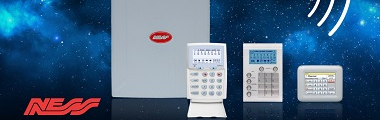
We Stock a full range of Ness keypads - Old, Obsolete and Current Models
We service Ness keypad memory light flashing - Power light flashing - Ness alarm battery light flashing - Ness Alarm keypad beeping - Alarm system reset - Alarm battery replacements - Keypad replacements - Alarm Beeping fault - Smoke alarms beeping - False alarms repaired
Cel Ness alarm panels support control room reporting via CID and/or user/owner monitoring by SMS and the SMS accessibility includes arm/disarm, activation, check system status, read alarm memory, receive alarm messages and operate AUX outputs by SMS/TXT. The Cel support up to 10 mobile phone numbers for SMS reporting, have fully customisable word library for SMS messaging, feature all-new KPX, Saturn and Navigator keypads, supporting cellular operation, including real-time clock display (network time). A Ness Cel Alarm System has everything you need in a reliable security alarm for Home and Business security providing high security features to simplicity and flexibility. Ness alarm systems are easy for our technicians to service your security alarm including lost/forgotten/unknown user/master codes, especially for newly purchased house/business owners and rental properties.
Ness Cel alarm system reset should be done by a qualified technician. If your alarm system is beeping or LED/indicator light flashing, this is a signal that your alarm system needs to be serviced.
  |
Is your Ness Cel alarm system false alarming?
 There is nothing more annoying than an Alarm system with false alarms and a beeping keypad. Waking up in the early hours by the alarm sirens for no apparent reason is very troublesome. Our alarm service technicians can repair many different makes and models. Environmental and various system faults may cause a beeping keypad and trouble light to occur.
Ness Cel alarm systems is one of the most commonly used security systems in Australia and very versatile including:
- Ness DX8, Ness DX16 - 8 to 16 alarm zones
- fully flexible zones for multi areas
- Arm Disarm operation with key ring remote control
- monitoring to mobile phone or back to base control room
- home mode arming for protection day - night - asleep
- programmable auxiliary outputs for outdoor lighting, heaters, coolers, garage door and much more
- programmable day zones including temporary day zones with chime, double trigger zones and adjustable vibration sensitivity for each zone
NBN issues to your Ness Cel alarm system
 In most cases the updated rollout to your Ness alarm system will make alarm monitoring communications redundant. A flashing Memory light, flashing line light and/or beeping sound occurs when your alarm system attempts to dial either a monitoring back to base, mobile phone or a domestic landline phone number without success. It is likely that the receiving number didn't connect (communication fault). If you have installed a new ADSL, VOIP, WIRELESS WIFI/MODEM to your telephone system, you may need to ring your network service provider to check to see if this is compatible to your alarm syste
How to arm the Ness cel alarm system

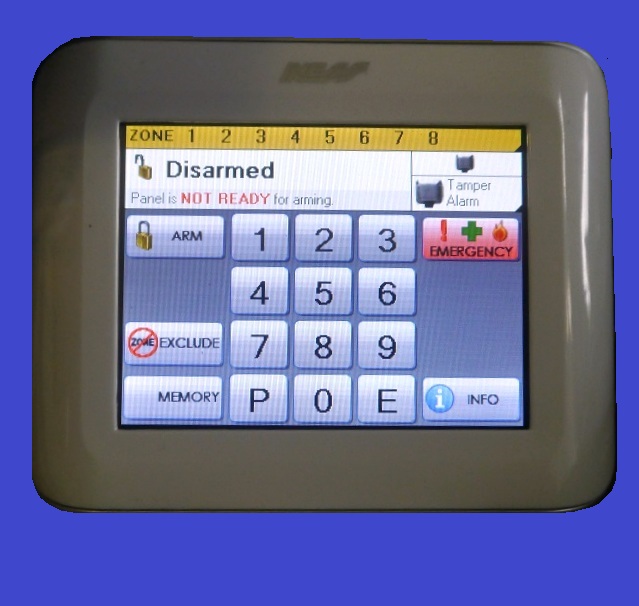
- Press the [ARM] button on the Ness keypad to arm - Then Press [E or ENTER] button. Two beeps means correct number.
- The ARMED LED/LCD indicator on the Ness keypad will now illuminate and, the exit delay will start and your Ness alarm will be ON.
Disarming the Ness cel alarm system
- Enter your user code eg. 1 2 3 4 . Then Press the [E or ENTER] button.
- The keypad will beep two times to indicate correct code. The Ness alarm is now disarmed.
- The ARMED LED/LCD keypad indicator will turn OFF.
- One long beep means an incorrect number entered.
Bypassing or Excluding and turning OFF rooms/zones on Arming
The Ness Cel alarm system allows you to program the alarm system to turn OFF zones that your prefer.
Press the [EXCLUDE] button.
Enter your user code.
Press the [E or ENTER] button.
The exclude LED/LCD segment will turn on.
Select the zones that you wish to bypass, then press [E or ENTER].
Continue adding each zone to Bypass by repeating previous step .
Press the [E or ENTER] button to exit Exclude mode.
The exclude LED/LCD indicator on the Ness keypad will flash and the selected zone will be bypassed next time the system is armed.
Home Mode. (Stay/Monitor/Home) Arming the Ness alarm system
This function permits you to be in the protected area while partially arming the Ness alarm system.
For example, when you go to sleep at night, doors and windows can be armed without arming the other rooms.
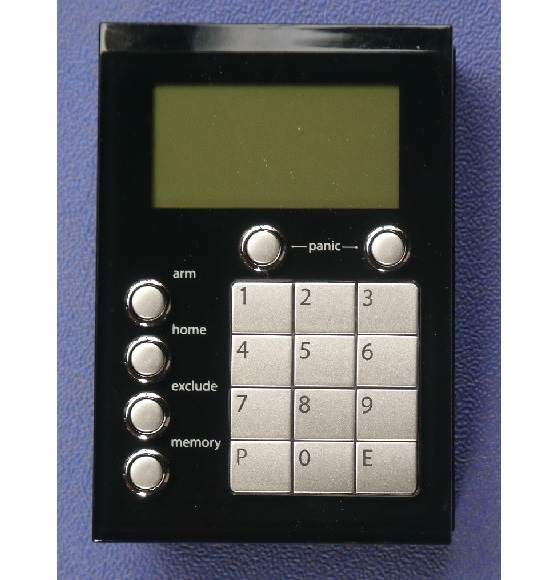
Press the [HOME or MONITOR] button. Then Press the [E or ENTER] button.
The ARMED LED/LCD indicator on the Ness keypad will now flash continuously.
This indicates that the system is in Home armed mode.
To disarm - Enter 4 digit user code then [E or Enter] e.g 1 2 3 4 E
Viewing the Ness Alarm History (Previous Alarms)
If your alarm system has been triggered ,the [MEMORY] button will illuminate.
To display the zones which have have been activated
Press the [MEM or MEMORY] button. Then press [E or ENTER] . The MEMORY LED/LCD indicator on keypad will turn on or flashing.
Press the [MEM or MEMORY] button again.
The most recent event will be displayed on the keypad. Press the [MEMORY] button to view the next event. Keep pressing the [MEM or MEMORY] to view all previous history events.
Press the [E or ENTER] button twice to exit program memory mode. The memory light will now turn off.
Changing Ness User Codes
To change Ness user codes, you will first require the Master code.
Press [P or PROGRAM] . Then enter the Master code. Then [E or ENTER] button. e.g. P 123 E.
Press [P or PROGRAM] again. Then enter the User program number. Then [E or ENTER]
Enter your new 4 digit code. Then [E or ENTER]
The keypad will beep once.
Enter the new 4 digit code again. Then press the [E or ENTER].
The keypad will beep 3 times to confirm the new code
To exit this mode, press [P or PROGRAM] and then [E or ENTER] button. Your code has now changed and previous number erased.
e.g. (If the user code is 1234 , Master code program number is 201 and the new 4 digit master code is 2016) P1234E P201E 2016 E 2016 E P E (P= program E= enter)
WE SERVICE MOST MAKES & MODELS PH: 1300 137 120
NESS D8 D8X KPX D16X D24 ECO Navigator R8 R16 NESS Pro L NESS Pro LD NESS Pro LX LXE NESS 5000 CLIPSAL NESS KEYPADS BOSCH SOLUTION DAS NETWORX - NX SERIES HILLS RELIANCE DAS DL KEYPAD ADEMCO VISTA CK SYSTEMS HONEYWELL EDM DSC CROW & Much more
Master Licence 71826620S |